Meetings, phone calls, interviews, lectures, brainstorming sessions, and everyday conversations can generate a surprising amount of information. The challenge is often not capturing the conversation itself, but turning that conversation into something useful afterward. Important details can be missed while taking notes, and reviewing a long recording manually can take considerable time.
AI-powered voice recorders are designed to address part of this problem by combining traditional audio recording with transcription and automated organization. Instead of relying entirely on handwritten or typed notes, these devices can capture spoken information and, when supported by their software services, convert recordings into written text and structured summaries.
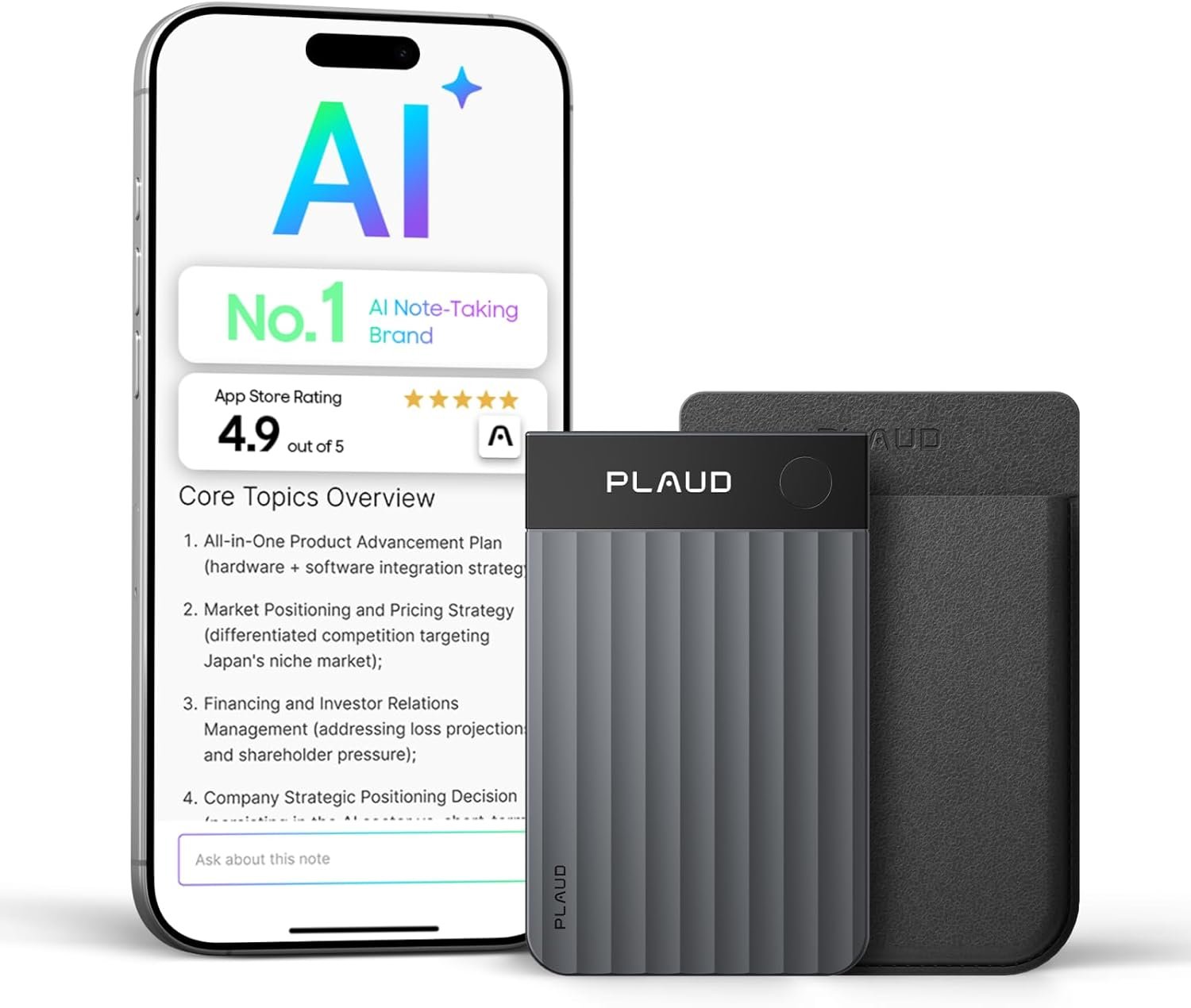
The Plaud Note Pro AI Voice Recorder is designed around this type of workflow. It combines voice recording with AI-assisted transcription and summarization, making it relevant to people who regularly need to turn spoken conversations into organized information.
The value of a device in this category is not simply its ability to record audio. The broader idea is to create a workflow in which a conversation can be captured first and processed later, allowing the user to focus more closely on the discussion itself.
This article explains the concept behind the Plaud Note Pro, its major features, potential applications, who may find this type of device useful, and the practical considerations that should be understood before incorporating an AI voice recorder into everyday work or study.
What Is the Plaud Note Pro AI Voice Recorder?
The Plaud Note Pro is an AI-focused voice recording device designed to capture spoken conversations and support transcription and summarization workflows.
Traditional digital voice recorders primarily concentrate on creating an audio file. After recording, the user generally needs to listen to the file again to identify important sections, create notes, or manually transcribe the conversation.
An AI voice recorder approaches the process differently.
The basic workflow can be thought of as:
Record → Transcribe → Organize → Summarize → Review
The recording remains an important part of the process because it provides the original source material. Transcription can then turn spoken language into searchable written content, while AI-assisted summaries can help identify the main ideas and organize information into a more digestible format.
This can be particularly useful when a conversation contains many details and the user wants to remain engaged instead of continuously looking down at a notebook or keyboard.
It is important to understand that AI transcription and summarization are assistance technologies rather than replacements for the original recording. Accuracy can vary depending on speech clarity, background noise, accents, overlapping speakers, language support, and other environmental factors.
Key Features of the Plaud Note Pro
AI-Assisted Voice Recording
At the foundation of the device is voice recording.
Recording spoken information can be useful in situations where typing every sentence would be impractical. Instead of trying to document everything in real time, users can capture the conversation and return to it later.
This approach can be useful for meetings, interviews, classes, planning sessions, research conversations, and personal voice notes.
A dedicated recording device can also provide a more focused workflow than constantly switching between applications on a smartphone.
Transcription of Recorded Conversations
One of the main reasons people consider AI voice recorders is transcription.
Transcription converts spoken language into written text. Once a recording has been transcribed, it can become much easier to search through, review, quote from, or use as the foundation for additional notes.
For example, imagine a 45-minute meeting containing several different subjects. Listening to the entire recording again simply to locate one decision can be inconvenient. A transcript can provide a text-based representation of the conversation, making specific information easier to locate.
Transcription can also be useful when reviewing interviews or educational material.
However, users should not assume that every transcript will be perfectly accurate. Speech recognition systems can have difficulty with background noise, technical terminology, uncommon names, multiple people speaking at the same time, or unclear audio.
For important professional or legal information, the original recording and transcript should therefore be treated as reference materials that may require verification.
AI-Generated Summaries
Another important part of the workflow is AI-assisted summarization.
A summary can reduce a long transcript into a more manageable overview by identifying major topics, discussion points, or other useful information supported by the recording and the software’s capabilities.
This can change how people approach long conversations.
Instead of immediately reading every word of a transcript, a user may begin with a summary and then return to the transcript or recording when more context is required.
For example, after a project meeting, a structured summary could help the user quickly remember:
- What topics were discussed
- Which ideas received attention
- What decisions were mentioned
- Which issues still require clarification
- What information should be reviewed later
AI-generated summaries should still be checked against the source material when accuracy matters. Summarization is designed to reduce information overload, but shortening a conversation inherently means that some details may not appear in the final summary.
Meeting and Conversation-Oriented Workflow
The Plaud Note Pro is particularly relevant to people whose work involves frequent conversations.
Meetings often require participants to perform several tasks simultaneously. A person may need to listen, understand the discussion, respond to questions, remember decisions, and record important information.
Trying to type everything can interfere with active participation.
A recording-based workflow allows the user to concentrate on the conversation while maintaining an audio reference for later review.
This does not eliminate the need for good note-taking. Instead, it provides another layer of documentation that can complement short personal notes.
Support for Calls and Spoken Conversations
Voice-recording devices in this category can also be relevant to call-related workflows where supported by the device and software.
Calls can contain useful information that is difficult to remember later, especially when the conversation includes names, dates, requirements, technical explanations, or multiple decisions.
Having an appropriate recording and transcription workflow can make post-call organization easier.
Because recording laws vary between jurisdictions, users should always understand and follow applicable consent and privacy requirements before recording other people.
Compact Voice-Recording Concept
A major reason people choose a dedicated recorder instead of relying entirely on a smartphone is convenience.
A compact recorder can be kept ready for situations where recording is part of the normal workflow.
This can be useful for professionals who attend multiple meetings throughout the day, students who attend lectures, researchers conducting interviews, or freelancers who frequently discuss projects with clients.
The smaller the friction involved in starting a recording, the easier it can be to integrate the device into a regular routine.
How an AI Voice Recorder Can Be Used
The most useful way to think about the Plaud Note Pro is not as a replacement for every traditional note-taking method, but as part of an information-capture workflow.
Different users may apply that workflow in very different ways.
Business Meetings
Meetings are one of the most obvious applications.
A meeting can involve multiple topics, different participants, decisions, questions, and follow-up items. Trying to write down every important statement can make it harder to participate.
A recording can provide a reference while AI transcription and summarization can help organize the material afterward.
A practical workflow could look like this:
- Confirm that recording is permitted.
- Start the recording before the meeting begins.
- Take only essential handwritten or digital notes during the conversation.
- Process the recording afterward.
- Review the generated transcript or summary.
- Verify important details against the original discussion.
- Transfer confirmed tasks and decisions into the team’s normal project-management system.
This approach keeps the AI recorder as an information-capture tool rather than treating it as the final source of truth.
Client Conversations
Freelancers, consultants, agencies, and other professionals often have conversations involving project requirements.
A client may mention several preferences during a single call. Some may seem minor at the time but become important later when preparing a proposal, designing a project, or completing revisions.
A transcript can make it easier to revisit the conversation.
The user can also create a personal workflow in which confirmed client requirements are transferred into a project document after reviewing the transcript.
This can help separate raw conversation data from finalized project information.
Interviews
Interviewers can benefit from recording because it allows them to concentrate on the person speaking rather than typing every answer word for word.
This can be useful in journalism, academic research, market research, podcast preparation, content creation, and business research.
A transcript can provide a starting point for organizing the interview into themes.
However, interview recordings can contain sensitive personal information. Storage, sharing, consent, and access controls should therefore be considered before using AI-based processing for interviews.
Lectures and Educational Sessions
Students and learners may use voice recording to supplement their normal note-taking.
Rather than attempting to capture every sentence, a student can focus on understanding the lesson and use the recording later as a reference.
AI transcription may make it easier to locate specific concepts within a long session.
For educational purposes, the most effective approach is usually to combine the transcript with active learning. Students can create their own summaries, questions, flashcards, or study notes rather than relying exclusively on an automatically generated summary.
Brainstorming Sessions
Ideas often arrive faster than people can type them.
A brainstorming session can therefore benefit from recording the discussion first and organizing the ideas afterward.
For example, a small business team might discuss dozens of potential content ideas during a planning session. Instead of interrupting the conversation to create a detailed document, the discussion can be captured and processed later.
The resulting transcript can then serve as raw material for an organized idea list.
Personal Voice Notes
AI recording technology does not have to be limited to formal meetings.
Some people naturally think through problems by speaking. A voice recorder can provide a convenient way to capture ideas while walking, planning, studying, or working.
Later, those recordings can potentially be transformed into text and organized into more useful notes.
This creates an alternative to typing every thought into a smartphone.
Who the Plaud Note Pro May Be Suitable For
An AI voice recorder may be useful for several types of users, although its value depends heavily on individual workflow.
Professionals With Frequent Meetings
People who regularly attend meetings may benefit from having a dedicated method for capturing discussions.
Project managers, business professionals, consultants, sales teams, coordinators, and other meeting-heavy roles can generate a large amount of spoken information during a typical week.
A transcription and summarization workflow can help reduce the amount of manual documentation required afterward.
Students and Researchers
Students can use recordings as supplementary study material, while researchers may use transcription to organize interviews or discussions.
The technology can be especially useful when a session contains detailed explanations that are difficult to capture completely through handwritten notes.
Freelancers and Consultants
Independent professionals often switch between different clients and projects.
Keeping accurate records of project discussions can become increasingly important as the number of clients increases.
An AI-assisted recorder can provide another layer of documentation that can be reviewed when preparing deliverables or clarifying project requirements.
Interviewers and Content Creators
People who conduct interviews may find transcription particularly useful because manually transcribing long conversations can be time-consuming.
A transcript can serve as a working document for identifying topics, selecting sections for further review, and creating content outlines.
The original audio should remain available when exact wording matters.
People Who Prefer Speaking Over Typing
Some users simply process information more naturally through speech.
For these users, an AI recorder can provide a bridge between spoken thoughts and organized written information.
Instead of starting with a blank document, they can speak first and organize the resulting text afterward.
Important Things to Consider
AI voice recording is convenient, but there are several practical issues worth understanding before using a device like this regularly.
Recording Consent and Privacy
Privacy should be one of the first considerations.
Recording another person’s voice without appropriate consent may be restricted depending on the country, state, workplace, or circumstances.
The rules surrounding telephone calls can be particularly important because different jurisdictions may have different consent requirements.
Before recording meetings, interviews, or calls, users should understand the laws and organizational policies that apply to their situation.
When in doubt, obtaining clear permission from participants is a sensible approach.
AI Transcription Is Not Perfect
Speech recognition technology has improved considerably, but it can still produce errors.
Accuracy can be affected by:
- Background noise
- Poor microphone positioning
- Multiple people speaking simultaneously
- Strong accents
- Unusual names
- Industry-specific terminology
- Low-quality audio
- Very quiet speech
- Rapid conversation
For important information, users should verify the transcript against the original recording.
AI Summaries Can Leave Out Context
Summaries are designed to condense information.
That is their strength, but it is also a limitation.
A long conversation can contain subtle qualifications, disagreements, examples, or context that may not appear in a short summary.
For routine meetings, a summary may be enough to refresh someone’s memory. For sensitive decisions or important technical discussions, the transcript and original recording may deserve closer attention.
Cloud Processing and Data Handling
AI transcription and summarization services may involve processing recordings through software or cloud-based systems, depending on the product’s architecture and account configuration.
Before recording sensitive conversations, users should understand how their data is handled, where information may be processed or stored, how long it may be retained, and what account or subscription requirements apply.
Businesses should also consider whether recording workflows comply with internal data-security policies.
Subscription and Service Terms
AI features can involve software services in addition to the physical device.
Users should therefore distinguish between the hardware itself and the services responsible for transcription, AI processing, storage, or other advanced functions.
The availability of particular features can depend on the applicable software plan, account, region, or service terms.
Checking the current product documentation is important before relying on a specific feature for a long-term workflow.
Battery and Recording Habits
A voice recorder is most useful when it is ready when needed.
Users should develop a habit of checking battery status before important meetings, interviews, or classes.
It is also worth considering how recordings will be organized after they are created. A large collection of unlabeled audio files can become difficult to manage even when transcription is available.
Consistent naming, folders, tags, or project-based organization can make the system much more useful.
Storage and Information Management
Recording more information does not automatically mean managing it better.
A person who records every meeting but never reviews or organizes the resulting information can quickly accumulate a large backlog.
A better approach is to establish a routine.
For example:
Record → Process → Review → Confirm → Archive or Delete
The exact workflow can vary, but the important part is deciding what happens to recordings after the initial capture.
AI Voice Recorder vs. Smartphone Recording
A smartphone already contains microphones and recording applications, so it is reasonable to ask why someone would need a dedicated AI recorder.
The main distinction is workflow.
A smartphone is a general-purpose device used for messaging, calls, browsing, cameras, applications, and many other functions. A dedicated recorder is centered around capturing spoken information.
For someone who only records audio occasionally, a smartphone may be perfectly adequate.
A dedicated AI recording device may become more interesting for users who regularly record meetings, interviews, conversations, or lectures and want a more focused process around transcription and summarization.
The right choice therefore depends less on the existence of a microphone and more on how frequently recording is part of the user’s routine.
AI Voice Recorder vs. Traditional Digital Recorder
Traditional digital recorders remain useful for straightforward audio capture.
Their main purpose is usually to create an audio recording that the user can listen to later.
AI-focused recorders add another layer by connecting recording with transcription, text processing, and automated summaries.
This can reduce some manual work after recording.
On the other hand, a traditional recorder can be simpler when the user only needs audio and does not require AI processing.
The distinction is essentially between audio-first recording and recording plus information processing.
AI Transcription vs. Manual Note-Taking
Manual notes remain valuable because the person writing them is actively deciding what matters.
That process itself can improve understanding and memory.
AI transcription offers a different advantage: completeness.
Instead of relying entirely on memory and selective note-taking, the user can maintain a record of the spoken conversation and later identify relevant sections.
A practical combination is often more useful than choosing one method exclusively.
For example, a person could write down:
- Decisions
- Questions
- Personal observations
- Follow-up tasks
- Important deadlines
while allowing the recording and transcript to preserve the broader context.
AI Summary vs. Full Transcript
A summary and a transcript serve different purposes.
A transcript aims to preserve the spoken content in written form, although transcription accuracy can vary.
A summary aims to reduce the amount of information that needs to be read.
For a quick review, a summary can be more convenient.
For exact details, context, or verification, the transcript and original recording are more appropriate.
Using the two together can create a layered information system:
Summary for speed → Transcript for detail → Audio for original context
Building a Practical Meeting Workflow
The effectiveness of an AI recorder depends heavily on what happens around the device.
A simple meeting workflow could begin with preparation.
Before the meeting, confirm that recording is permitted and ensure the device has sufficient battery and available storage or service access.
During the meeting, position the recorder appropriately and focus on participating in the discussion.
Afterward, allow the recording to be processed according to the available workflow.
Then review the generated summary.
Instead of automatically treating every generated point as a confirmed fact, compare important decisions or action items with the transcript.
Finally, move confirmed information into the appropriate system, such as a project-management application, calendar, task list, or company documentation.
This makes the recorder one part of a broader productivity system rather than the entire system.
Tips for Getting Better Recording Results
Good source audio generally makes downstream processing easier.
Several simple habits can help.
Keep the Recorder Appropriately Positioned
Distance matters.
A microphone that is too far away may capture weaker speech, while a poor position can increase the relative impact of background sounds.
For meetings, positioning should take into account where participants are seated and how the room is arranged.
Reduce Unnecessary Background Noise
Air conditioners, loud conversations, traffic, music, and other environmental sounds can affect recording quality.
Whenever practical, choose a quieter environment.
Avoid Overlapping Speech
AI transcription systems may struggle when several people speak at exactly the same time.
Encouraging clear turn-taking during formal meetings can help both human listeners and automated transcription systems.
Verify Important Names and Numbers
Names, product codes, email addresses, dates, technical terminology, and numerical information can be especially important to verify.
Even a generally accurate transcript may contain occasional mistakes in these areas.
Organize Recordings Consistently
A useful naming structure might include:
Date – Project – Meeting Type
Consistent organization can make older recordings much easier to locate.
Frequently Asked Questions
What is an AI voice recorder?
An AI voice recorder combines traditional audio recording with software-based capabilities such as speech transcription and automated summarization. Instead of only creating an audio file, the workflow can turn spoken information into text and organized notes.
Can the Plaud Note Pro replace normal note-taking?
It does not necessarily need to replace normal note-taking. Many users may benefit from combining short personal notes with a recording and transcript. Personal notes can capture decisions and observations, while the recording preserves broader context.
Is AI transcription always accurate?
No. Accuracy can vary depending on audio quality, background noise, accents, vocabulary, overlapping speakers, and other factors. Important information should be checked against the original recording or another reliable source.
Can AI summaries contain mistakes?
Yes. A summary is generated from processed information and may omit context or misunderstand parts of a conversation. Important decisions, commitments, dates, and technical details should be verified.
Is it legal to record meetings and calls?
The answer depends on the applicable laws and circumstances. Recording-consent rules can vary by jurisdiction, and telephone calls may have additional requirements. Users should understand local laws and obtain appropriate consent before recording other people.
Is an AI recorder useful for students?
It can be useful as a supplementary learning tool. Students can use recordings and transcripts to revisit lectures or discussions, but active note-taking, studying, and independent understanding remain important.
Can an AI voice recorder be useful for interviews?
Yes. Recording can allow the interviewer to focus more on the conversation rather than typing every response. Transcription can then provide a starting point for organizing the interview. Consent and privacy should be addressed before recording.
Should important information be taken directly from an AI summary?
For routine information, a summary may be a convenient starting point. For important decisions or sensitive details, it is safer to verify the information against the transcript or original recording.
What is the difference between transcription and summarization?
Transcription converts spoken audio into written text. Summarization takes processed information and condenses it into a shorter overview. A transcript generally provides more detail, while a summary is designed for faster review.
Does a dedicated AI recorder make sense if I already have a smartphone?
It depends on your workflow. Occasional users may find a smartphone sufficient. People who frequently record meetings, interviews, lectures, or calls may appreciate a dedicated device designed around recording and AI-assisted processing.
What should I consider before using an AI recorder for work?
Consider recording consent, company policies, privacy requirements, data handling, transcription accuracy, service terms, storage, battery life, and how recordings will be reviewed and archived.
How can I keep AI-generated meeting notes useful?
Use AI output as a starting point rather than an unquestioned final document. Review the summary, check important details against the transcript, confirm action items, and then transfer verified information into your normal workflow.
Conclusion
The Plaud Note Pro AI Voice Recorder represents a broader shift in how people can handle spoken information. Instead of treating a recording as the final product, an AI-assisted workflow can transform conversations into transcripts, summaries, and more organized reference material.
For professionals, students, researchers, interviewers, freelancers, and other users who regularly work with spoken information, this approach can reduce some of the manual effort associated with reviewing long conversations.
Its usefulness ultimately depends on the quality of the surrounding workflow. Good recording habits, appropriate consent, careful organization, privacy awareness, and verification of important information remain essential.
The most practical way to approach AI transcription is as an assistant rather than an unquestionable authority. The original audio provides context, the transcript provides searchable detail, and the AI summary can provide a faster overview. Together, these layers can make recorded information easier to manage without eliminating the need for human judgment.
If you are exploring AI-assisted recording for meetings, calls, interviews, lectures, or personal voice notes, understanding how the recording, transcription, summarization, privacy, and software components work together can help you decide whether this type of workflow fits your needs.
Leave a Reply